Which lead sources does LeadSmart capture?
Meta lead-ad capture and form sync. Connect your Facebook Page and LeadSmart pulls every new lead from your Meta (Facebook and Instagram) instant forms automatically. No CSV downloads from Ads Manager.
LeadSmart captures your Facebook and Instagram lead-ad enquiries the moment they arrive, syncs them to Google Sheets, sends an instant WhatsApp alert to your business and sends lead-quality signals back to Meta through the Pixel and Conversions API. Everything runs from one simple dashboard, on desktop or mobile browser, for ₹499/month on the current offer, with a 14-day free trial.
14 days free · No credit card required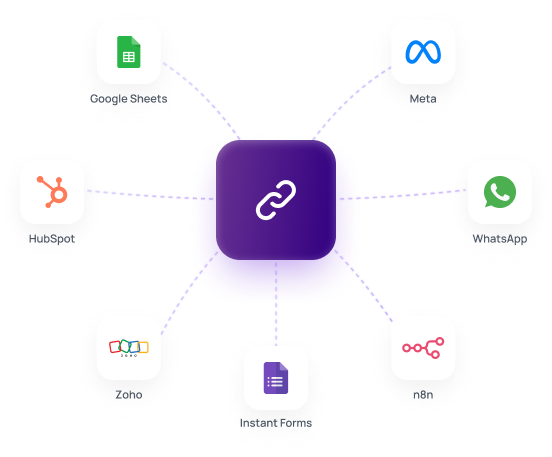
Meta lead-ad capture and form sync. Connect your Facebook Page and LeadSmart pulls every new lead from your Meta (Facebook and Instagram) instant forms automatically. No CSV downloads from Ads Manager.
Google Sheets sync. Every new lead is written to your Google Sheet in real time, so your team and existing reports keep working.
WhatsApp alerts to your business. When a new lead arrives, LeadSmart sends an alert to your business WhatsApp number so someone can call back while the enquiry is fresh. WhatsApp runs on your own WhatsApp Business API keys.
Lead webhook. Send every new lead as a webhook to any system that accepts one, such as your CRM or an automation tool.
Follow-ups via webhook integration (e.g. n8n). Use the webhook with a workflow tool like n8n to automate WhatsApp follow-ups to leads, update a CRM such as Zoho or HubSpot, or trigger any other step in your process.
Meta Pixel and Conversions API signals. Map the labels you use in LeadSmart (for example "Qualified" or "Site visit booked") to Meta events. When you label a lead, LeadSmart sends that event to Meta, so your campaigns learn which leads turn into customers. Read our Meta Conversions API guide.
Works on mobile browsers. The dashboard works in the browser on your phone, so there is no app to install.
No. Lead sources and WhatsApp alerts are connected in a few guided steps. Custom webhook or n8n workflows may need some extra configuration.
Your own. LeadSmart runs on your own WhatsApp Business API keys, and Meta's message charges are paid by you directly to Meta.
LeadSmart sends instant WhatsApp alerts to your business. Automated WhatsApp follow-ups to leads are set up through the lead webhook with a workflow tool such as n8n.
You map your own LeadSmart labels to Meta events, so the events match your sales stages, such as a qualified lead or a booked appointment.
There is no separate app. The LeadSmart dashboard works in mobile browsers.
See pricing, explore real estate, education and solar use cases, or contact us.
Ready to turn leads into revenue?
Talk to our sales team